![Highland_logo_1millionmiles_Brandmark_White-1.png]](https://24210048.hs-sites.com/hs-fs/hubfs/Highland_logo_1millionmiles_Brandmark_White-1.png?width=40&height=40&name=Highland_logo_1millionmiles_Brandmark_White-1.png)
Start a Charging Session
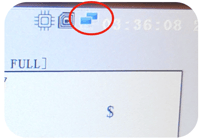
- Verify that the unit is online, and the main screen is powered up. If you see this icon, the unit is online and ready to charge
- Remove the charging handle from the holster on the charger, plug in your bus. Make sure to firmly insert the plug into the port until you hear the “click” of the port lock
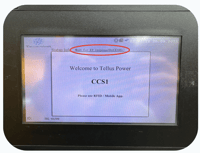
- Verify that the charger and bus have connected
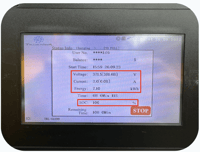
- Once charging begins, you will see the pack voltage and current SoC of the vehicle plugged in, as well as the total kWh that has flowed into the vehicle
- Before walking away from the bus/charger, ensure they are securely connected and confirm that the bus has started charging
End a Charging Session
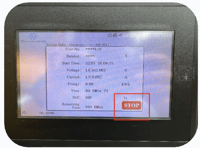
- Press the STOP button on the screen of the charger and carefully remove the charger handle from the bus once you hear the port unlock
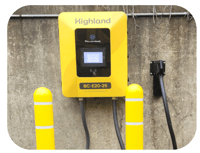
- Insert the charger handle into the holster
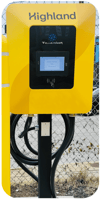
- Coil the cord back up to keep it out of harm's way
- Never leave the charging handle out in the
open or on the ground
- Never leave the charging handle out in the
For additional details on Tellus chargers, please refer to the Tellus Installation and Operations Manual