![Highland_logo_1millionmiles_Brandmark_White-1.png]](https://24210048.hs-sites.com/hs-fs/hubfs/Highland_logo_1millionmiles_Brandmark_White-1.png?width=40&height=40&name=Highland_logo_1millionmiles_Brandmark_White-1.png)
Start a Charging Session
Verify that the bus parking brake is on and the key is in the OFF position. Bus can charge while on, when needed for pre-heating or cooling
Follow the device's on-screen instructions. The charging process starts when the vehicle connector is correctly connected to the vehicle and once the vehicle and charger have identified a connection with each other
To start a charging session, do the following:
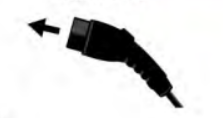
- Remove the charging handle from the holster on the charger, connect the handle into the charge port on the bus. Make sure that the handle is correctly connected, you will hear a “click”
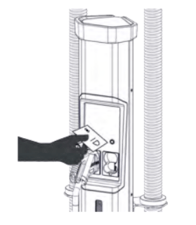
- If identification (RFID card) is necessary, the charging unit asks for it when the vehicle connector is connected to the Vehicle. Use the identification method suggested by the charging unit
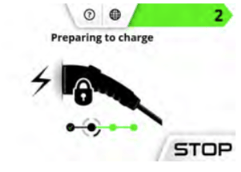
- Communication between the charging unit and the vehicle starts. Follow the progress on the display screen
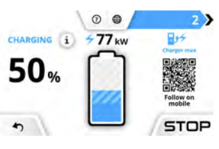
- When charging starts, the charging status is shown on the display screen. To see the charging process remotely, scan the quick response (QR) code with your mobile phone. A secure web page opens on your mobile phone and shows the charging status screen
- Before walking away, verify the charger and the bus have connected by checking BOTH the bus dashboard and the charging dispenser to ensure they both indicate the bus is charging
End a Charging Session
To end a charging session, do the following:
- Press Stop (1) on the display screen or use the mobile application to end the charging session
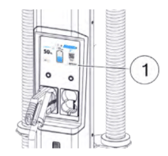
- Unplug the charger handle from the charge port
- Return the charger handle to the holster on the charger
- Coil up the cord to prevent accidental damage. Never leave the charging handle out in the open or on the ground
For additional details on Kempower chargers, please refer to the Kempower Charging Equipement Owners Manual